Loops in Python: For and While
Understand for and while loops with a program to print a multiplication table.
Loops in Python
Ever needed to do something over and over in your code? That's where loops come in handy! Python gives you two main types: for loops and while loops.
What Are Loops Anyway?
Loops let you run the same code multiple times without copy-pasting it everywhere. You just tell Python "keep doing this until I say stop" and it handles the rest.
The For Loop
Use a for loop when you already know how many times you want something to happen. It goes through a sequence (like a list, string, or range of numbers) one item at a time.
# Example: Print numbers from 1 to 5 using a for loop

for i in range(1, 6):
    print(i)
What's happening here:
range(1, 6)creates numbers from 1 to 5- The loop prints each number once
The While Loop
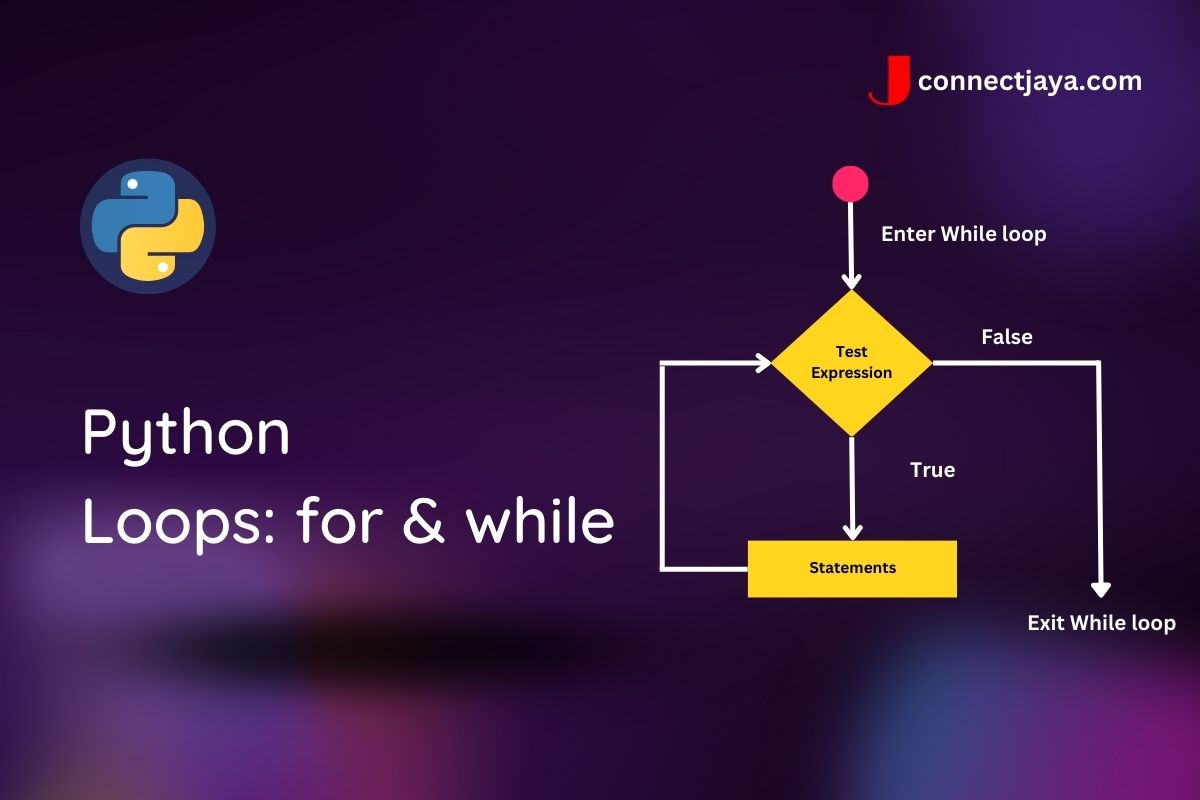
A while loop keeps going as long as something stays true. It's like saying "keep doing this while this condition is true."
# Example: Print numbers from 1 to 5 using a while loop

i = 1
while i <= 5:
    print(i)
    i += 1  # don't forget this or you'll loop forever!
What's happening here:
- Start with
i = 1 - Keep printing while
iis 5 or less - Add 1 to
ieach time (super important - skip this and your code runs forever!)
Real Example: Multiplication Table
Let's build something useful - a multiplication table generator that works with any number.
# Program to print multiplication table using a for loop

number = int(input("Enter a number: "))

print(f"\nMultiplication Table of {number}")

for i in range(1, 11):
    print(f"{number} x {i} = {number * i}")
Try this: Rewrite it using a while loop instead and see how the logic changes!
Quick Tips
- Use
forwhen you know exactly how many times to loop - Use
whilewhen you're looping based on a condition that might change - Always have an exit strategy - make sure your loop will eventually stop (nobody likes infinite loops!)
Bottom Line
Loops show up everywhere in programming - processing data, building games, automating tasks, you name it. Get comfortable with them and you've unlocked one of Python's most useful features.
Trust me, once loops click, a lot of coding suddenly becomes way easier.